Operations and customer support
Look up orders, change statuses and handle day-to-day requests through ready-made forms. No SQL knowledge or database admin tool is required.
What Admux is, who uses it, and the core workflow from your data sources to the screens users work in.
Admux is a unified admin hub for the systems in your business. The name combines admin and mux (multiplexer): just as a multiplexer combines many signals onto one line, Admux brings the databases of many systems into one place to manage them, instead of a separate admin panel for each system.
Engineers connect each data source and package operations as actions with parameters. Users run those actions through a generated form, or through screens that combine data from several sources. One permission model controls who can run which action in which environment, and every run, on every data source, is recorded in the same audit log.
Operations and customer support
Look up orders, change statuses and handle day-to-day requests through ready-made forms. No SQL knowledge or database admin tool is required.
Data and reporting
Package frequent queries as parameterized actions, schedule them and export CSV. Write actions can also run in the background or in bulk.
Internal-tools engineers
Write SQL or JavaScript that orchestrates several actions. Build React/TSX screens with types generated from the project’s own actions.
Administrators and security
Manage accounts, roles, access to each environment and IP allowlists. Search the audit log of every run.
Connect a data source. A project admin adds a PostgreSQL, MySQL or HTTP API data source, then enters separate connection details for each environment (for example dev and prod). Credentials are encrypted and never sent back to the browser. HTTP data sources currently only store configuration and support a connection test; actions that call an HTTP API are not available yet.
Define an action. An editor writes a SQL statement with parameters such as {{status}}, or a JS action that calls other actions. The action is saved as a draft, then published with Publish after it passes the safety checks. Each publish creates a version that you can roll back to.
Run it from a form or a screen. Users open the Run action page. The form is generated from the parameters, and results appear as a table. When a form is not sufficient, an editor writes a view in React/TSX. Published views appear for users under Screens.
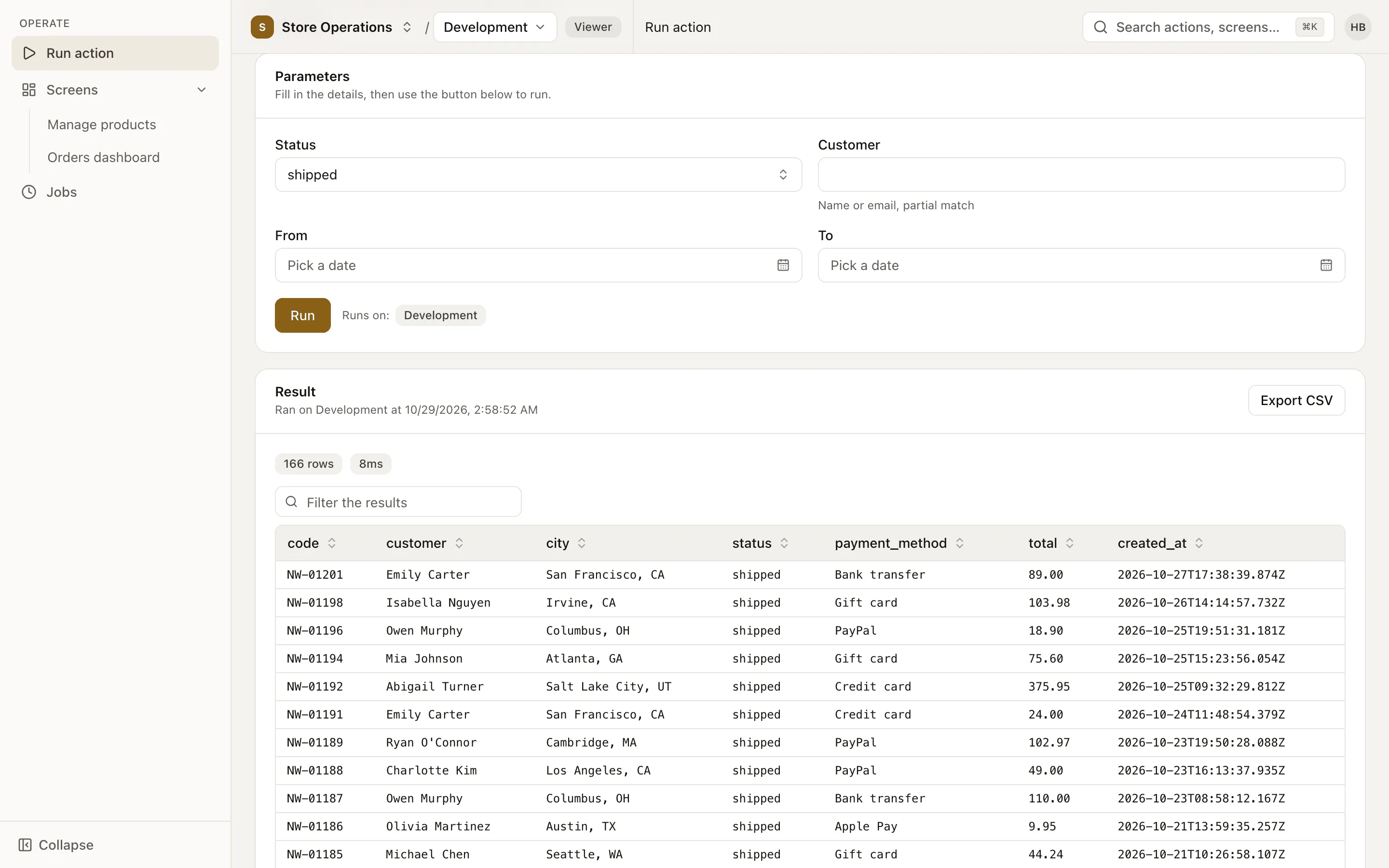
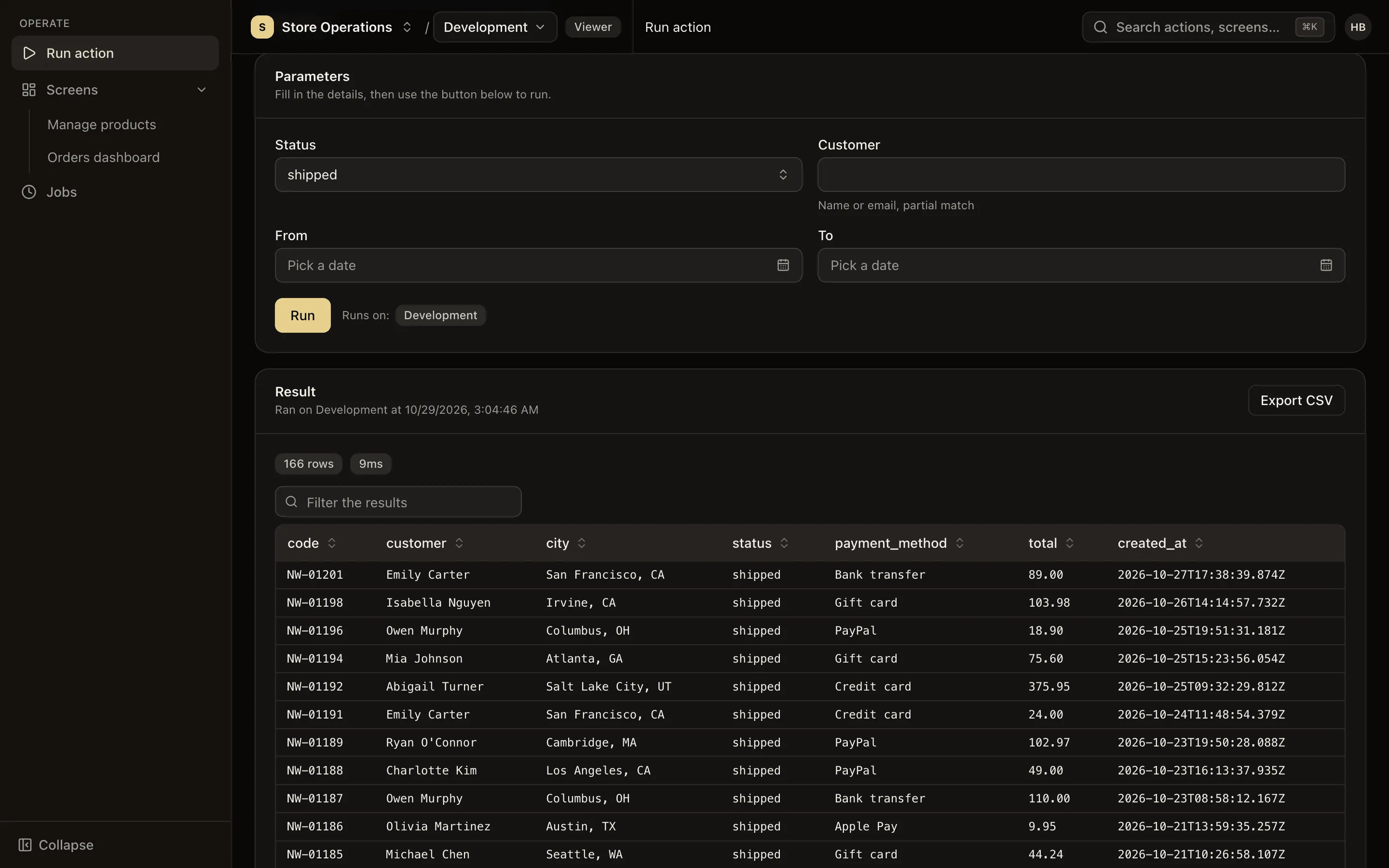
There are three levels of UI. Choose the simplest one that meets the requirement:
dev and prod environments. When a production environment is selected, the switcher in the top bar turns red and write actions require confirmation.